In info.link, we deliberately distinguish between Languages and Regions . While they might seem similar at first, understanding the difference is key to providing the right experience for your consumers across different markets.
Think of it as a two-layer system: Regions define which content is displayed where, and Languages define how that content is presented.
Regions are essentially "Markets." When you think about your Digital Label, you probably think about geographic boundaries and local regulations.
Regions allow you to show different information based on the physical location of the person scanning your QR code. For example:
Recycling Information: For example, you might need to show specific recycling instructions for consumers in France that differ from those in Germany .
Local Links: For example, you might want to provide a link to a specific online shop for users in the Czech Republic , while users in Austria should see a different storefront.
By using Regions, you ensure that the content is legally compliant and relevant to the specific market where the product is being scanned.
Languages work across all Regions. They are based on the translations you’ve defined in the info.link platform, selected based on the user's browser settings rather than their physical location.
For example, if a user in Germany scans your code and their phone/browser is set to German, info.link will automatically display the German version of your content (if you have provided it).
However, many consumers in a specific region might not speak the local language as their native tongue. In Germany, for example, you may have many English speakers. By adding English as a language, info.link will detect their browser preference and automatically display the content in English (if you have provided it) – even though they are physically located in the "Germany" region.
That said, consumers can of course always select a different language of their choice from the Language selector in the top right corner of each info.link page.
To help you decide which to use, consider your content requirements:
If all your content is the same worldwide: You likely only need to use different Languages. This allows users everywhere to read the same information in their preferred language.
If you need to show different content in different markets: You likely need a combination of Regions and Languages. The Region ensures they get the correct local data (like recycling symbols, regional shop links, regional promotions, etc.), while the Language ensures they can read that data comfortably.
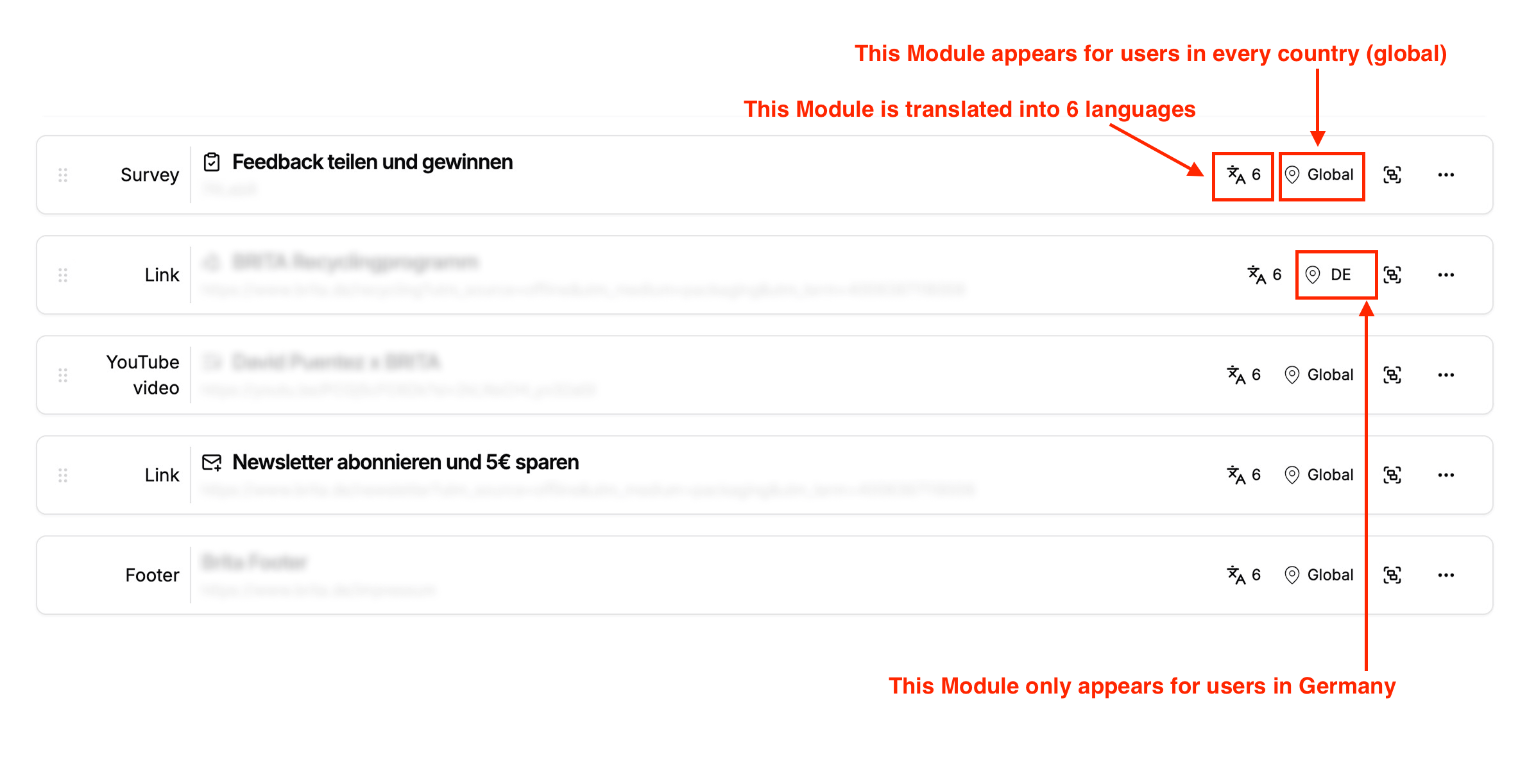
Below is an example how a Module may appear if you have several Languages and Regions enabled.
Ready to expand your reach? To add more Languages or Regions to your account, please contact our support team via the “Help & Chat” button on the right side of the platform, or reach out to your account manager. We'll be happy to help you set them up.