Size
Absolute minimum (not recommended!): ~11mm (requires excellent print-quality, excellent lighting, no reflections)
Recommended size: ~15mm or larger for reliable scanning in all conditions
GS1 recommends 0.396mm per QR code “pixel”, meaning that more complex QR codes consisting of more “pixels” need to be printed larger to ensure optimal scanning.
Another good rule of thumb: size is 1/10 scanning distance. Meaning for 10cm scanning distance, the QR code would need to be 1cm in size. For a billboard with 10m scanning distance, it would need to be 1m in size!
Safe Space: Keep a clear “safe space” around the QR code, approximately the width of 4 QR code "pixels" all around.
While physical print size (e.g., 15mm) is a design choice, the complexity (density) of the QR code is determined by technical factors. A denser code requires more "pixels" (modules), which forces you to print it larger to maintain readability.
Error Correction Levels
Level L (Low): Restores ~7% of data. Least dense, allows for smaller printing, but easily unreadable if damaged.
Level M (Medium): Restores ~15% of data. Standard for most consumer packaging; a good balance of size and reliability (this is what info.link uses for its QR codes)
Level Q (Quartile): Restores ~25% of data.
Level H (High): Restores ~30% of data. Most dense (requires largest print size), but allows for embedded logos or significant damage.
Trade-off: Higher error correction adds more backup data, increasing the number of modules (pixels) and forcing the physical code to be larger to remain scannable.
Data Character Sets
Numeric only: Most efficient (highest density)
Least dense QR codes
Smallest potential print size
⚠ However, no web links possible, as it only contains numbers.
Alphanumeric (Uppercase only): Very efficient
Dense QR codes
Small potential print size
⚠ However, these are not properly resolved by certain Google Pixel phones and several Chinese smartphone brands, meaning that when QR codes are scanned, web addresses are not loaded automatically but require user intervention.
Binary/Byte (UTF-8, Mixed case): Least efficient, requires more “pixels” per character
Normal QR code density
Normal potential print size
Highest compatibility, can resolve any web address
GS1 Digital Link & Minimum Size Constraints
Mandatory Data: GS1 compliance requires encoding a full GTIN plus an Application Identifier (AI) and a resolver URL domain (e.g., https://info.link/01/01234567891234).
Minimum Character Count: This combination creates a "data floor" – a minimum number of characters you cannot go below. This automatically forces the QR code into a specific minimum version (grid size), regardless of how small you want it.
The "Non-Compliant" Option: You could technically create a tiny, non-standard URL (e.g., abc.ly/xyz) to make a smaller QR code. However, this breaks GS1 Digital Link compliance, meaning the code will not scan at retail checkout (POS) systems, losing a major benefit of the transition to 2D barcodes.
Contrast: Ensure a high contrast ratio of at least 4.5:1 (black on white is ideal, but you can check foreground to background colour contrast under this link).
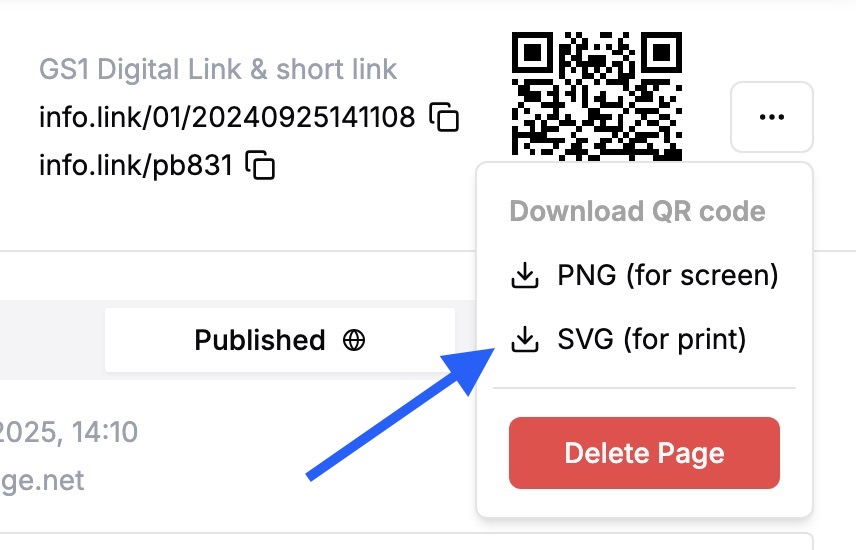
Quality: Print with high resolution to maximise scannability (i.e. we always supply info.link QR codes as vector files, e.g. .svg or .pdf for optimal resolution)
Visibility: Place on a flat, easily visible part of the packaging. Ensure the QR code remains visible and is not obscured by labels or other packaging elements. Avoid placing it on parts of the packaging that are uneven or folded – this may damage the QR code and severly reduce scannability.
Primary or secondary packaging:
EU regulation requires QR codes and short links to be clearly visible at point of purchase.
However, keep in mind that for some products, customers may discard any outer/secondary packaging. For these scenarios, consider (also) placing the QR code and short link on the inner/primary packaging to allow for ongoing customer engagement (e.g. for instructions, offers).
Format: The short link follows the format “info.link/aa111”
Two letters, e.g. aa
Three numbers, e.g. 123
This makes it easy to type, with minimal switching between keyboard modes
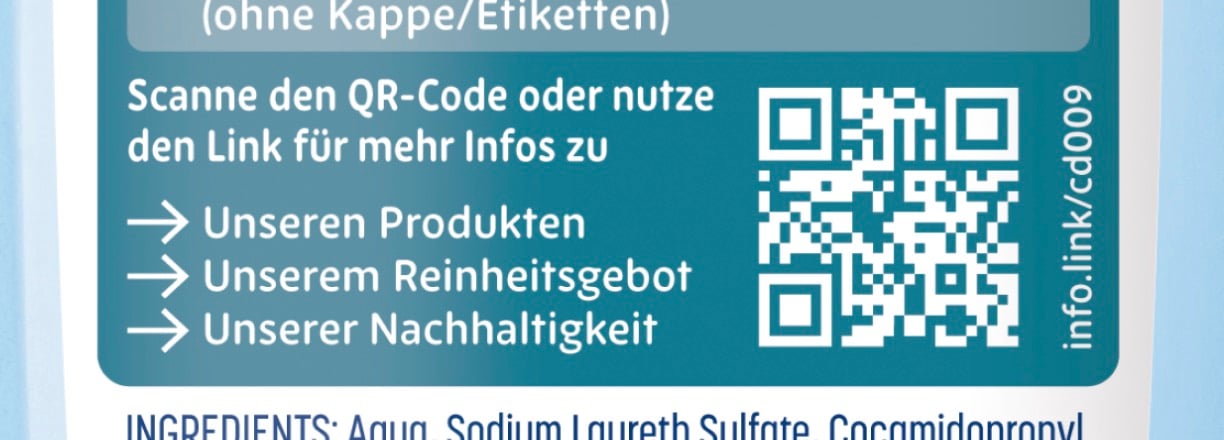
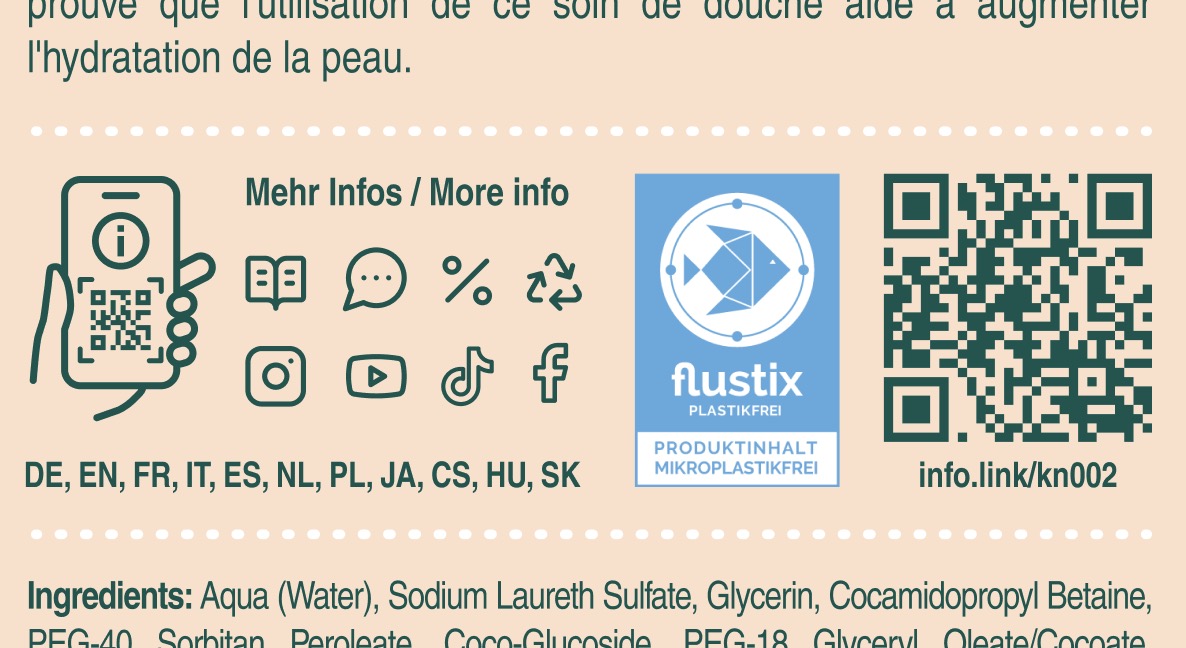
Short link placement: Place the short link near the QR code
e.g. below the QR code
e.g. to the right of the QR code (rotated 90 degrees)
Custom short link: Talk to us if you’d like to customise the short link
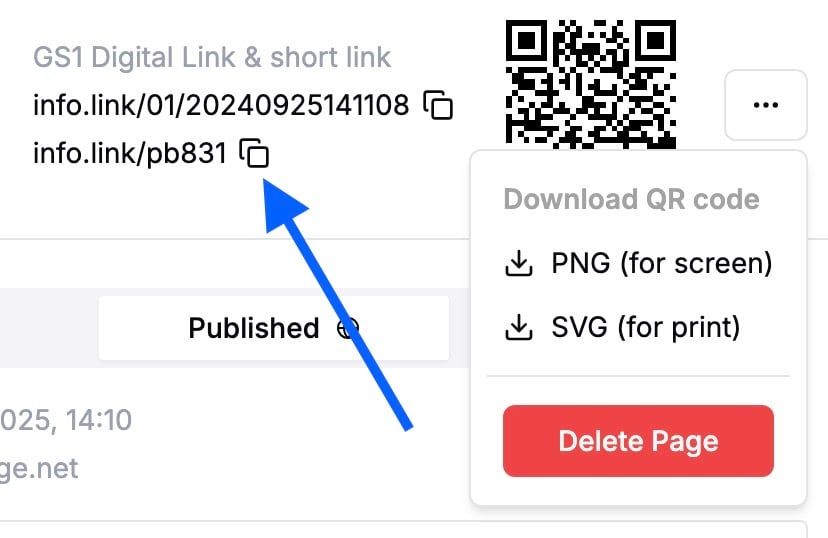
Where to find the short link
At the right of the header section of every Product or Media Page
At the end of the filename of the QR code SVG file (you still need to add the “info.link/” in front of it